Privilege Type
Overview
The Privilege feature allows privilege control through SQL statement combinations. In addition, for web editors, you can control data export/import and clipboard copy functions. SQL statements are classified according to ANSI SQL standards, and Redis provides separate Privilege Types.
Creating Privileges
When creating privileges, MySQL-based SET, SHOW, DESCRIBE, and USE statements are included in all privileges by default.
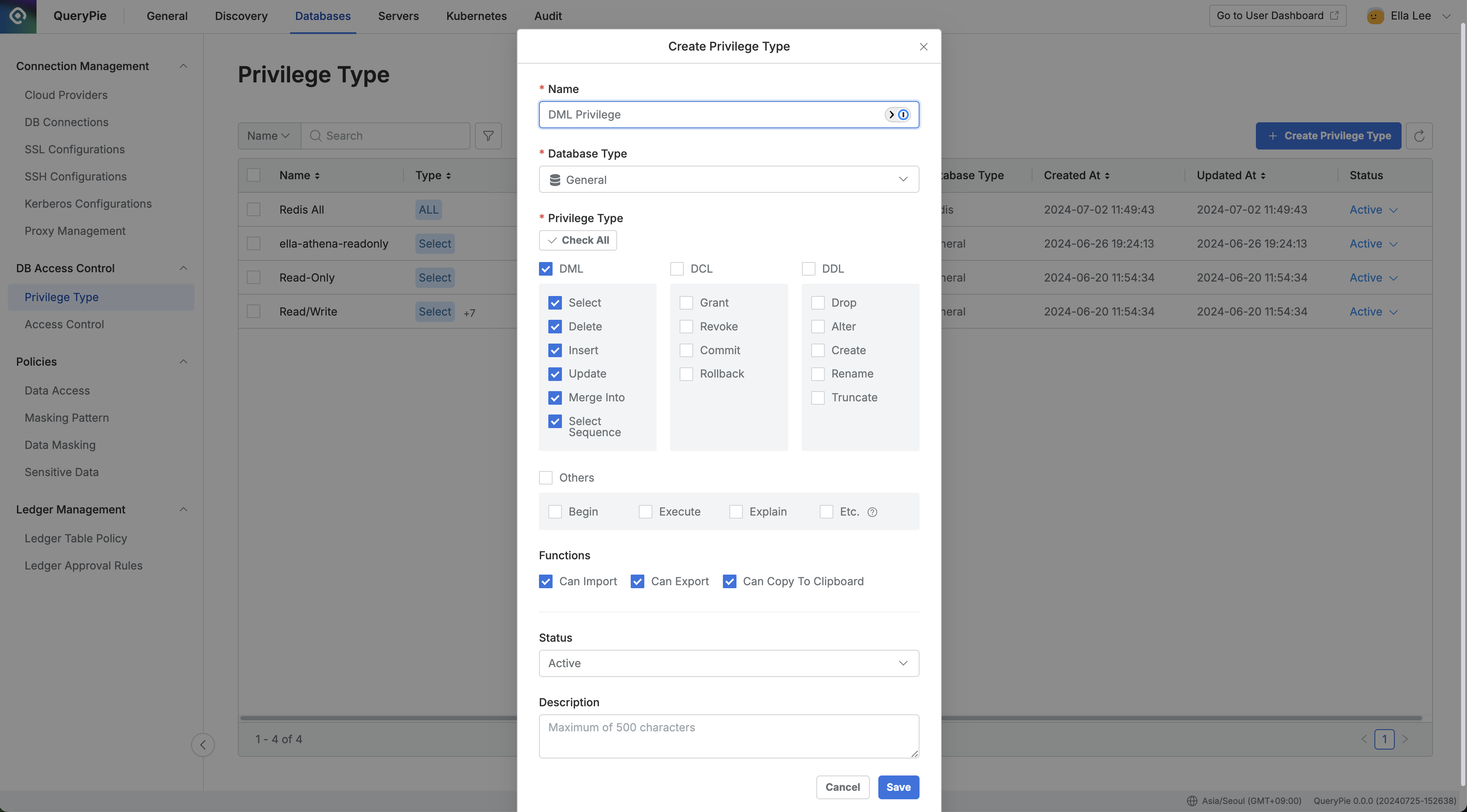
Administrator > Databases > DB Access Control > Privilege Type
- Navigate to DB Access Control > Privilege Type menu from the Database settings menu.
- Click the
Create Privilege Typebutton in the top right. - Enter the following information for policy creation:
- Name: Name that can distinguish the privilege on screen.
- Database Type: Select the type of database to which the privilege is granted. By default, select the General type.
- Privilege Type: Select the statements to allow execution with this privilege.
- Functions: Select the operations allowed with this privilege. You can control data export/import and clipboard copy functions within web editors.
- Save through the
Savebutton.
You can verify that the privilege has been created in the Privilege Type list.
How can I create and manage access privileges for Redis connections?
When selecting Database Type as Redis in the Privilege creation screen, you can create Privileges with separate Redis-specific privilege types.
- Privileges allowed for execution when accessing Redis are largely classified into Read, Write, Dangerous, and Etc.
- Read, Write, Dangerous, and Etc. categories refer to Redis ACL Categories standards.
- Among selected categories, you can restrict execution by setting commands to restrict in Restrict Commands.