Cloud Providers
Overview
Supports viewing, creating, modifying, and deleting Cloud Providers for Kubernetes synchronization. Through Cloud Providers, you can synchronize Kubernetes resources within cloud platforms and bulk register them as clusters managed by QueryPie.
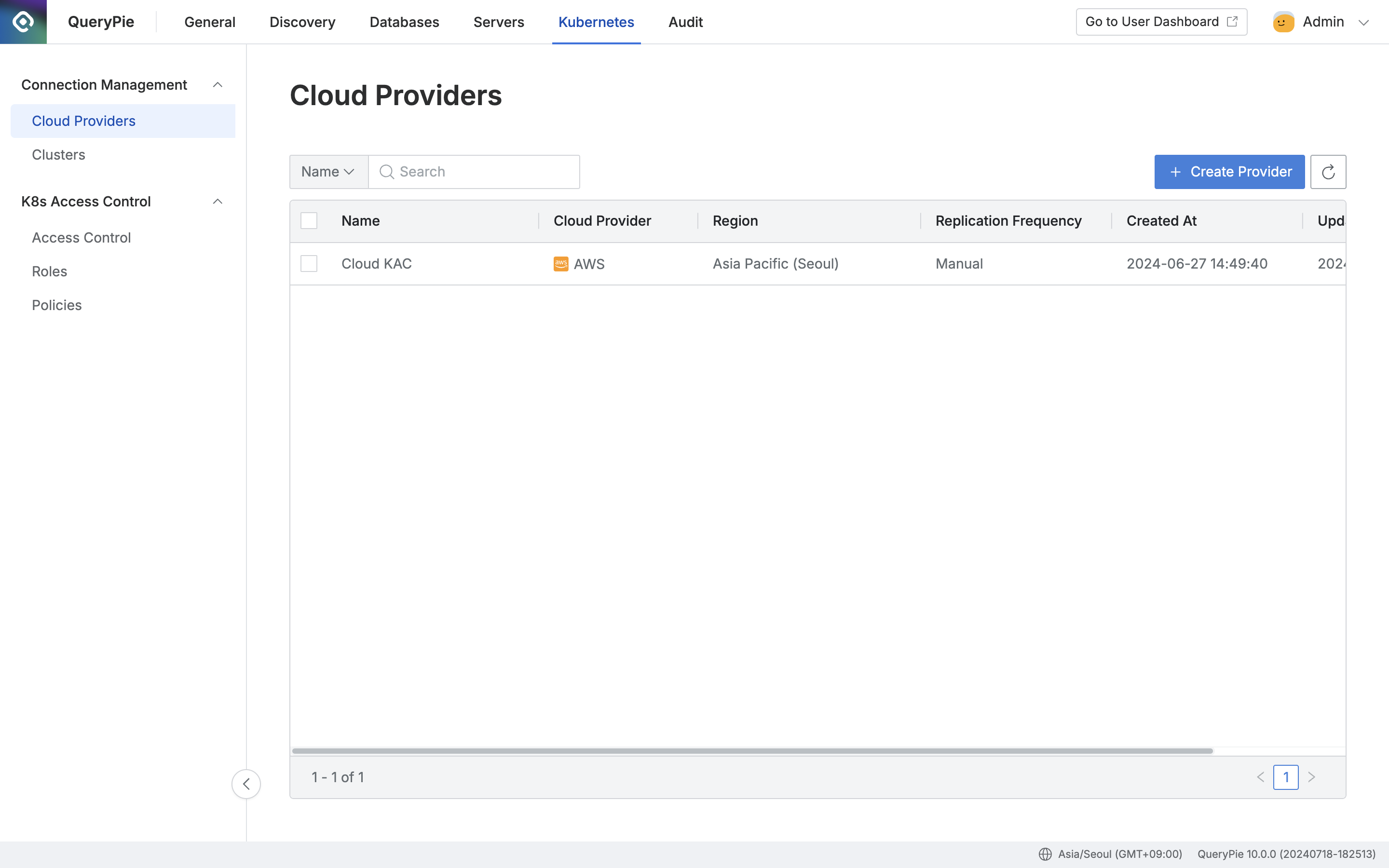
Administrator > Kubernetes > Connection Management > Cloud Providers
Viewing Cloud Providers
- Navigate to Administrator > Kubernetes > Connection Management > Cloud Providers menu
- Search by Cloud Provider name using the search box in the top left of the table
- Refresh the Cloud Provider list using the refresh button in the top right of the table
- The table provides the following column information:
- Name: Cloud provider title
- Cloud Provider: Connected platform
- Region: Platform region
- Replication Frequency: Synchronization cycle setting
- Created At: Cloud provider initial creation date and time
- Updated At: Cloud provider last modification date and time
- Click on each row to view cloud provider details
Creating Cloud Providers
- Navigate to Administrator > Kubernetes > Connection Management > Cloud Providers menu
- Click the
+ Create Providerbutton in the top right - Create a cloud provider by referring to the following guide:
Deleting Cloud Providers
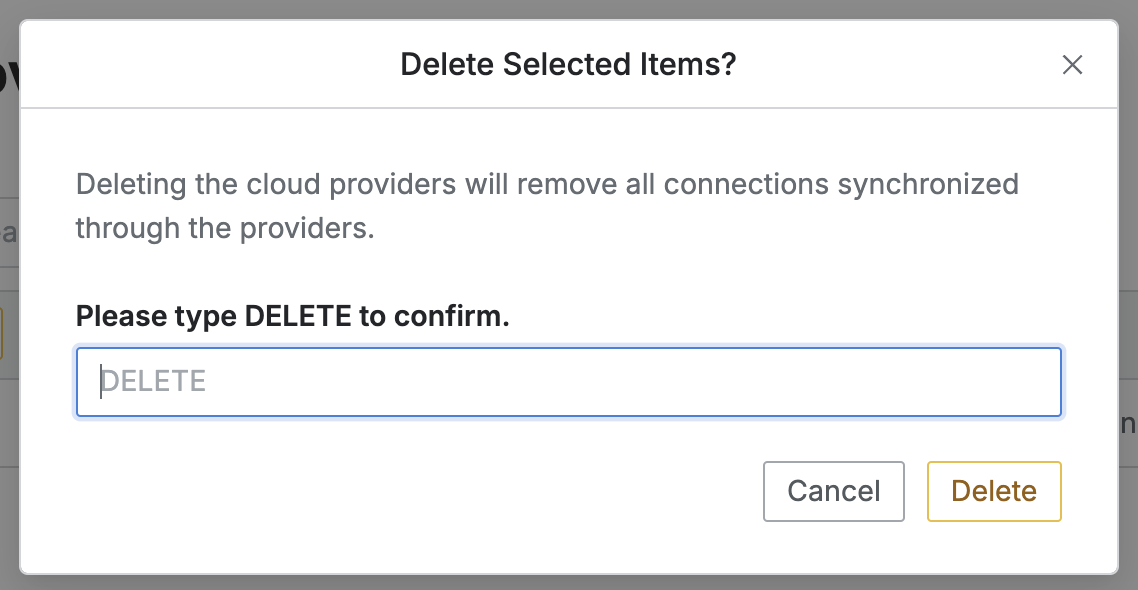
- Navigate to Administrator > Kubernetes > Connection Management > Cloud Providers menu
- Check the checkbox on the left of the target cloud provider to delete in the table
- Click the
Deletebutton that appears in the table column line - When a popup appears, enter the DELETE text and click the
Deletebutton to proceed with deletion
Please note that when deleting a Cloud Provider, all resources synchronized through that cloud provider will be bulk deleted together.
Last updated on