Granting Server Privilege
Overview
You can grant Server Privilege to servers with access permissions to temporarily allow the use of specific commands. When granting Server Privilege again to a target that already has Server Privilege, the existing Server Privilege is revoked and newly granted again.
Granting Server Privilege
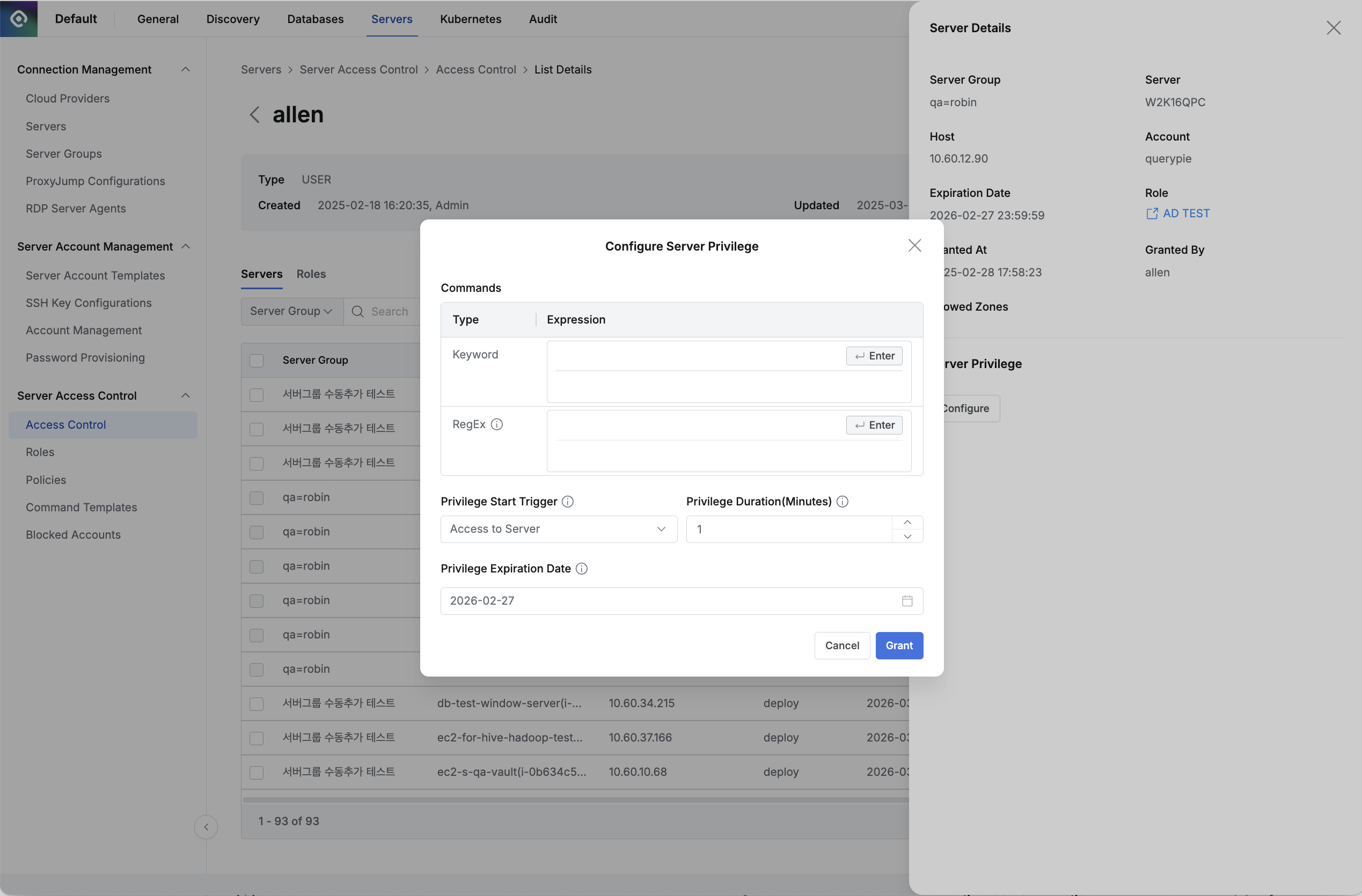
Administrator > Servers > Server Access Control > Access Control > User/Group > Servers > Server Details
- Navigate to Administrator > Servers > Server Access Control > Access Control menu.
- Select the user or user group to whom you want to grant special command exception permissions.
- Select the target server/account from the Servers tab list to enter the drawer detail page.
- Click the
Configurebutton under Server Privilege at the bottom of the detail page. - When the modal appears, configure the following and click the
Grantbutton to complete the exception handling.- Commands: Enter the commands that need to be allowed.
- Keyword: Enter as keywords (ls, cat, etc.)
- RegEx: Enter as regular expressions (^sudo\b[^&|;\n]*$, etc.)
- Privilege Start Trigger: You can select the start trigger for Privilege Duration when Server Privilege is applied.
- Access to Server: After Server Privilege is applied, the time is counted from when the applied user starts accessing the server.
- Grant: The Server Privilege usage time is counted from the moment Server Privilege is applied.
- Privilege Duration: Set the Server Privilege application time. You can enter the time in minutes. The start time varies depending on the Privilege Start Trigger.
- Privilege Expiration Date: Specify the expiration date for the special exception handling for the above commands.
- Commands: Enter the commands that need to be allowed.
- The modal items vary depending on the server’s OS and Require Privilege option status.
- When the server’s OS is Linux and the Require Privilege option is enabled
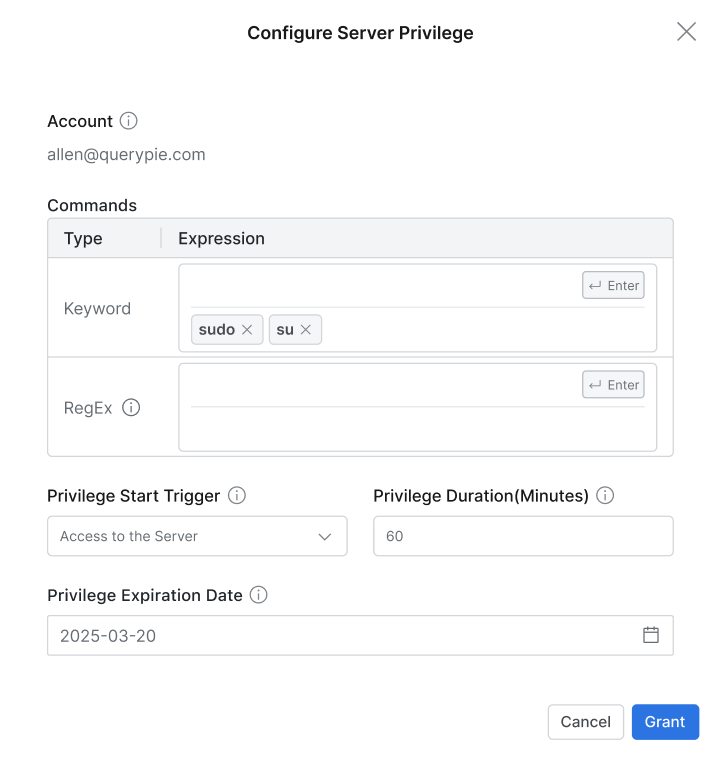
- When the server’s OS is Linux and the Require Privilege option is disabled
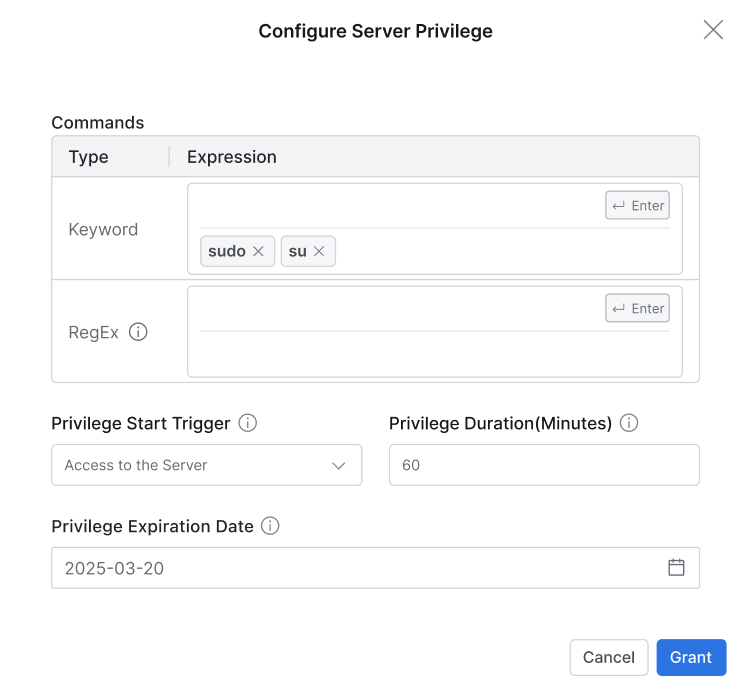
- When the server’s OS is not Linux and the Require Privilege option is enabled
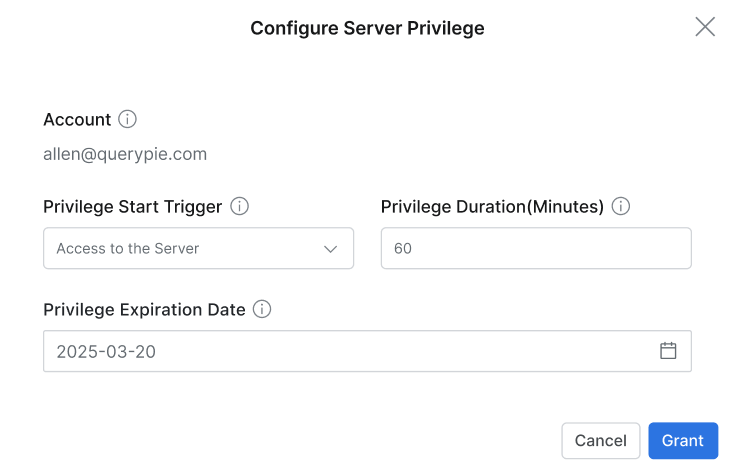
- When the server’s OS is not Linux and the Require Privilege option is disabled
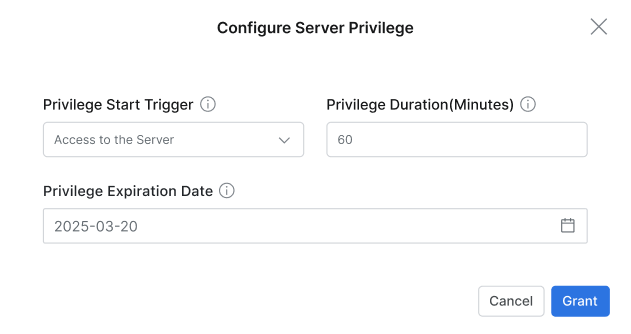
- When the server’s OS is Linux and the Require Privilege option is enabled
Q. Is there a place where I can check the history of granted or revoked permissions?
A. When the target server for setting Server Privilege is granted through Permission,
it is recorded in Servers > Access Control Logs in the Audit menu.
When the target server for setting Server Privilege is granted through Role,
it is recorded in Servers > Server Role History in the Audit menu.
Last updated on