Session Monitoring
Overview
You can view server connection sessions through QueryPie. You can also force terminate connected sessions.
From 11.5.0, Session Monitoring, which was a submenu item under Audit, has been moved to Servers > Monitoring > Session Monitoring.
Viewing Session Monitoring
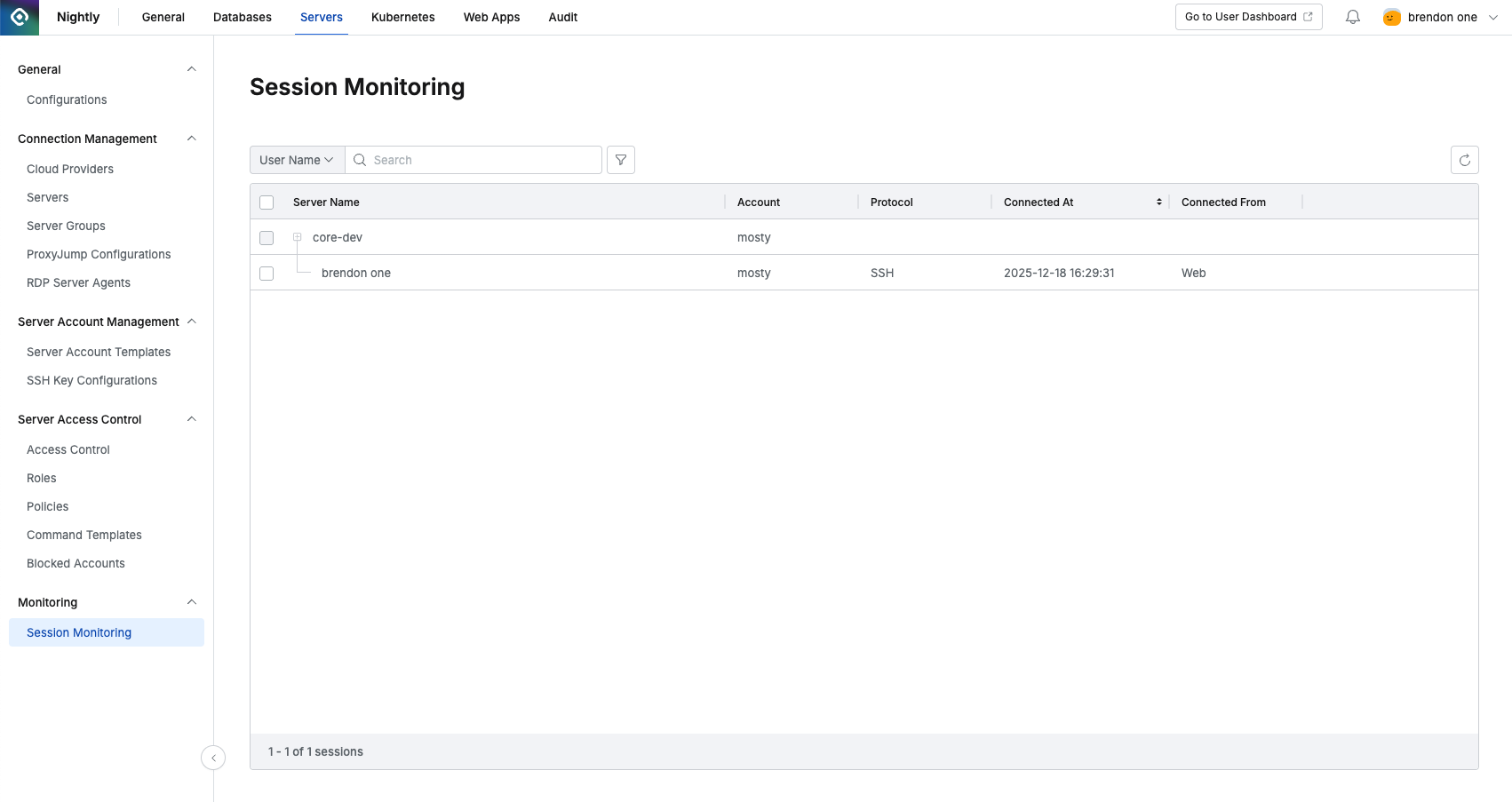
Administrator > Servers > Monitoring > Session Monitoring
- Navigate to Administrator > Servers > Monitoring > Session Monitoring menu.
- View currently connected sessions.
- You can search using the following criteria through the search box at the top left of the table.
- Server Name: Name of the connected server
- User names connected to that server are displayed below
- Account: Server connection Account
- Protocol: Protocol used for connection
- Connected At: Connection time
- Connected From: Source of the connection method
- Web
- Proxy
- Server Name: Name of the connected server
Force Terminating Sessions
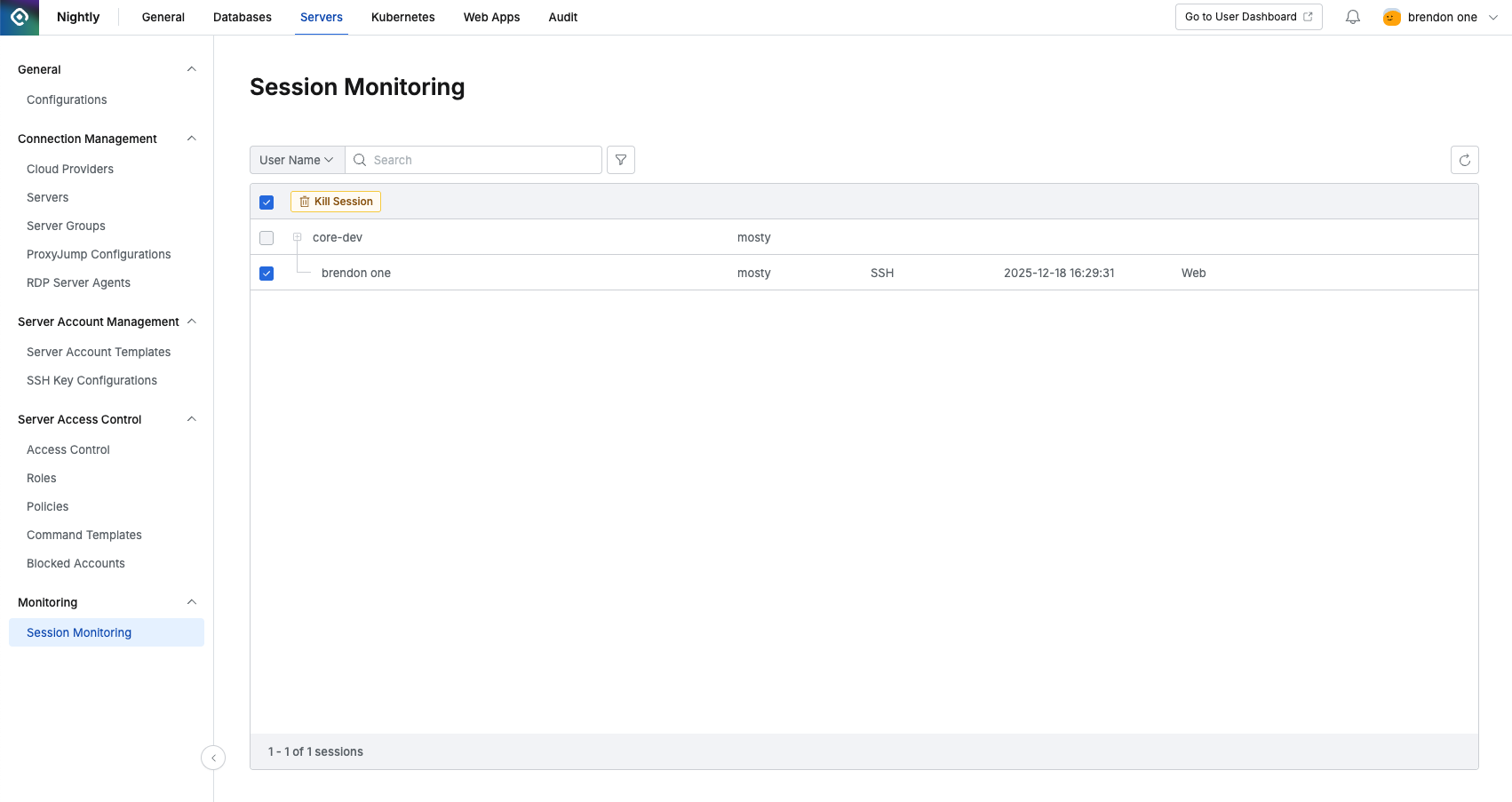
- Navigate to Administrator > Servers > Monitoring > Session Monitoring menu.
- View currently connected sessions.
- Click the checkbox in front of the session to force terminate.
- Click the
Kill Sessionbutton. - Click the
OKbutton in the popup that appears.
Force terminating a session does not block the user. If necessary, please separately block the user who was connected.
Last updated on