Custom Attribute
Overview
이 문서에서는 Custom Attribute 설정 및 관리 방법을 안내합니다.
Custom Attribute 생성
- 속성 목록 테이블 우측 상단의
+ Create Attribute버튼을 클릭합니다.
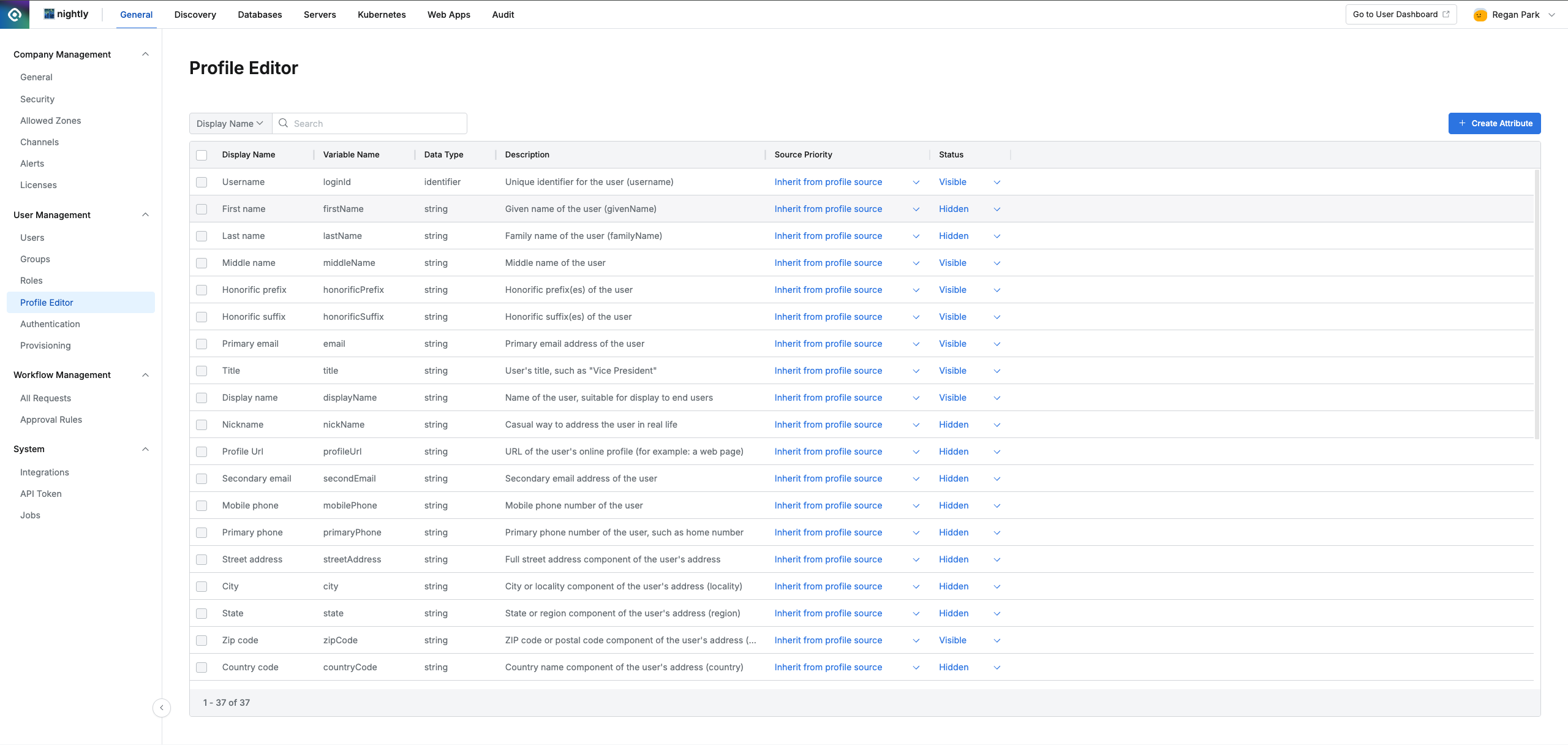
Administrator > General > User Management > Profile Editor
- 아래 명시된 항목을 입력 후
OK버튼을 눌러 Custom Attribute를 생성합니다.
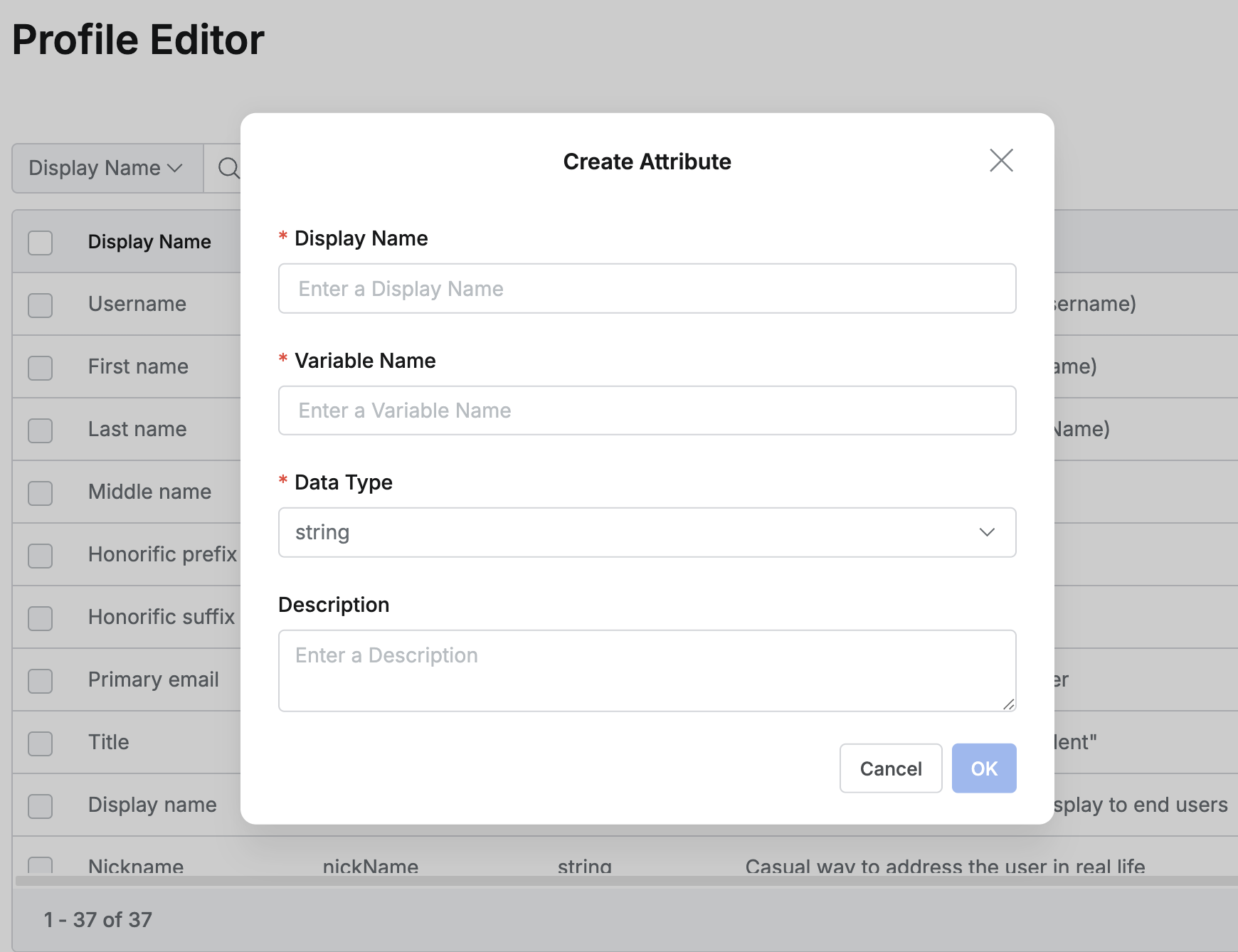
- Display Name (필수): 속성의 이름으로 중복될 수 없습니다. 예) Team Leader
- Display Name 중복 시 다음과 같은 오류 메시지가 모달로 표기됩니다.
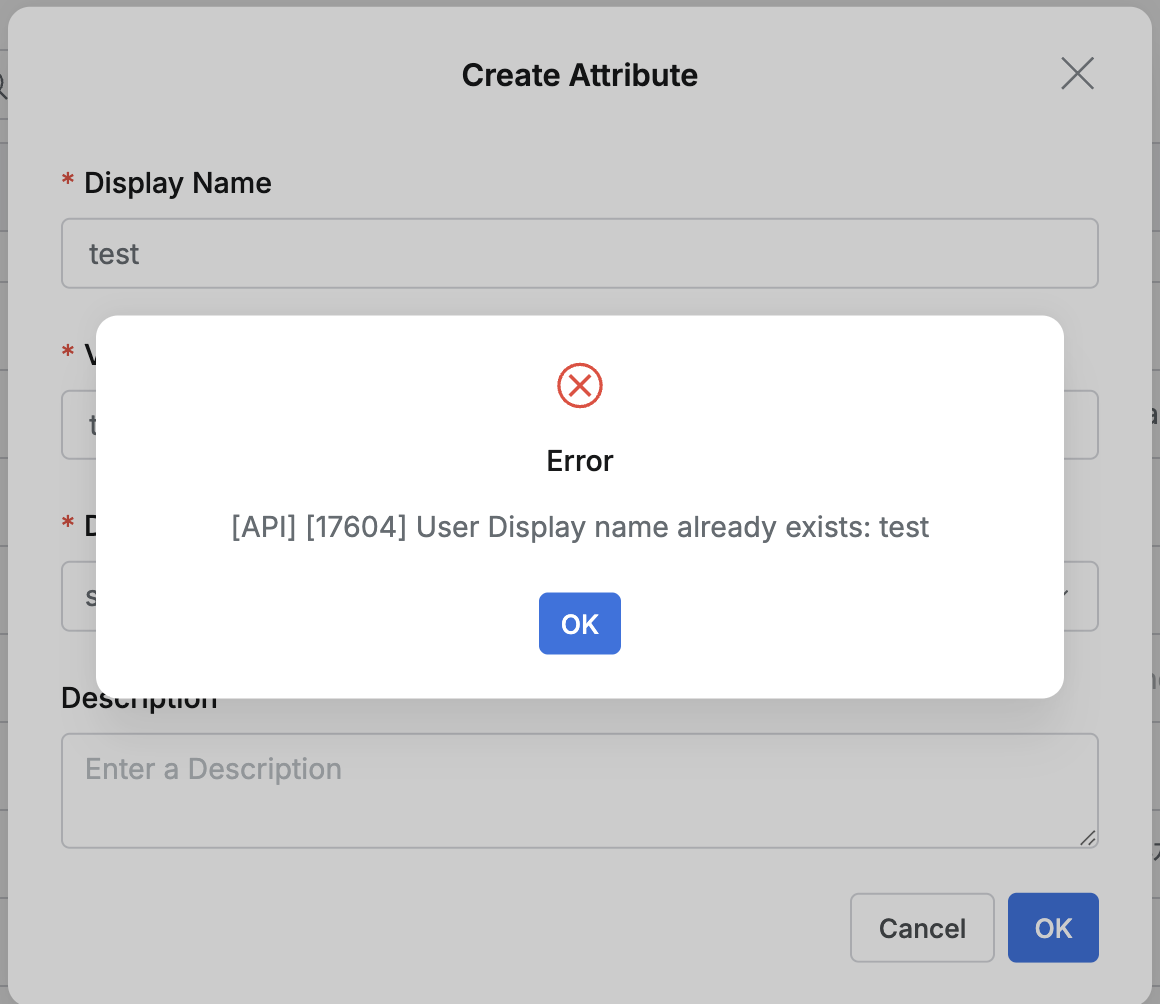
- Display Name 중복 시 다음과 같은 오류 메시지가 모달로 표기됩니다.
- Variable Name (필수): 속성의 변수명으로 중복될 수 없습니다. 예) teamLeader
- Variable Name 중복 시 다음과 같은 오류 메시지가 모달로 표기됩니다.
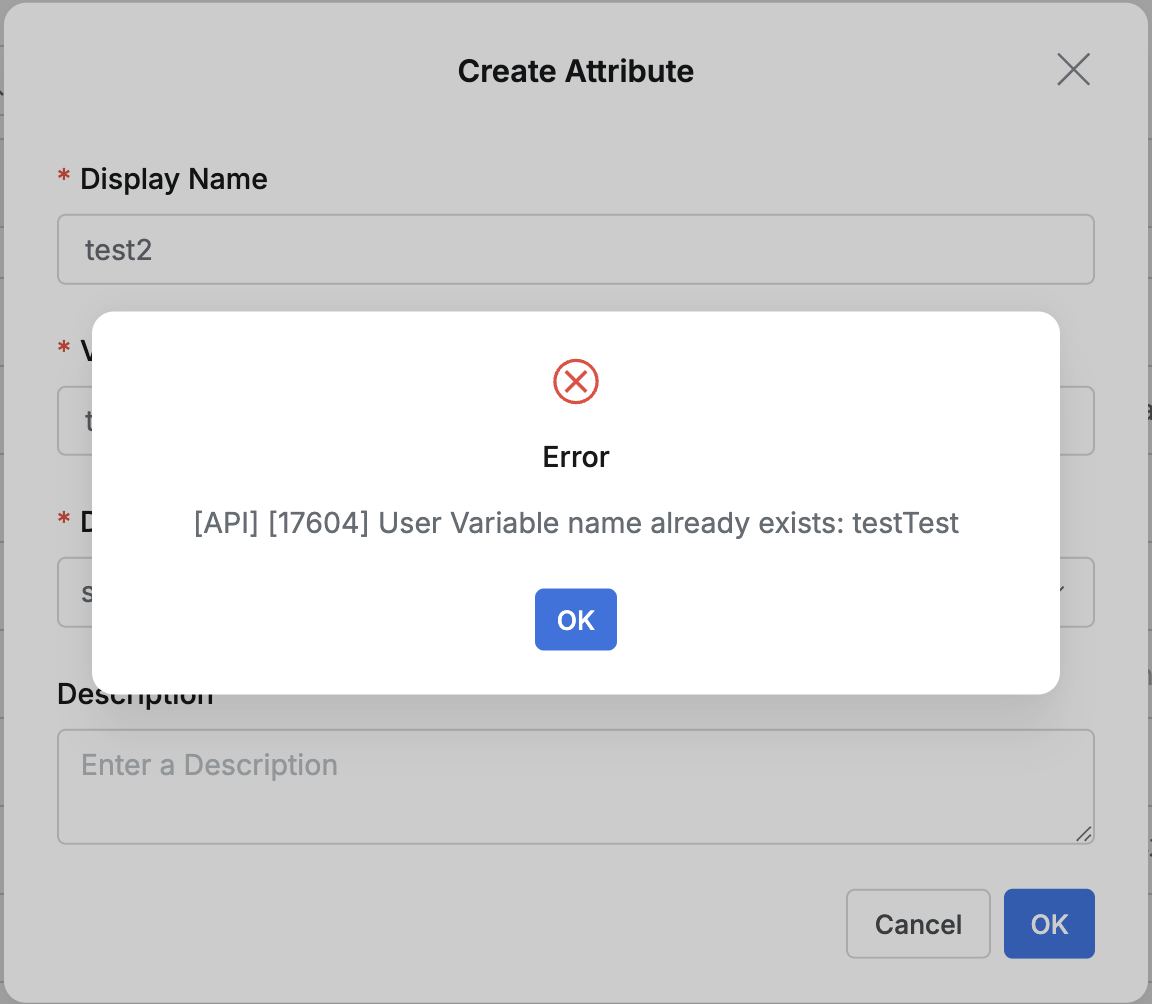
- Variable Name 중복 시 다음과 같은 오류 메시지가 모달로 표기됩니다.
- Datatype (필수): 속성 값의 데이터 유형을 선택합니다.
- string: 일반적인 텍스트(문자열) 값입니다. (예: “Marketing Team”)
- number: 숫자 값입니다. (예: 100)
- string array: 여러 텍스트 값을 목록 형태로 가집니다. (예: [“variable1”, “variable1”])
- identifier: 시스템 내의 다른 개체(주로 LoginID)를 가리키는 고유 식별자
- Description (선택): 속성에 대한 설명입니다.
- 생성 시 기본 설정 :
- Source Priority: inherit from profile source (기본값)
- Status: Visible (기본값)
Custom Attribute 수정
- 수정 가능 항목:
- Display Name
- Description
- Source Priority
- Status
- 수정 불가 항목:
- Variable Name
- Data Type
- 수정 방법:
- Display Name, Description: Profile Editor 테이블에서 해당 Custom Attribute를 클릭하여 상세 모달을 열고 수정합니다.
- Source Priority, Status: Profile Editor 테이블의 해당 Custom Attribute 행에서 직접 인라인으로 수정 가능합니다.
- 제한 사항:
- IdP와 연동된 Custom Attribute는 수정할 수 없습니다.
- Custom Attribute가 Workflow Approval Rule 내 User Attribute-Based Approval에 사용되고 있을 경우, 해당 속성의 Display Name과 Description은 수정할 수 없습니다.
Custom Attribute 삭제
- 삭제 방법:
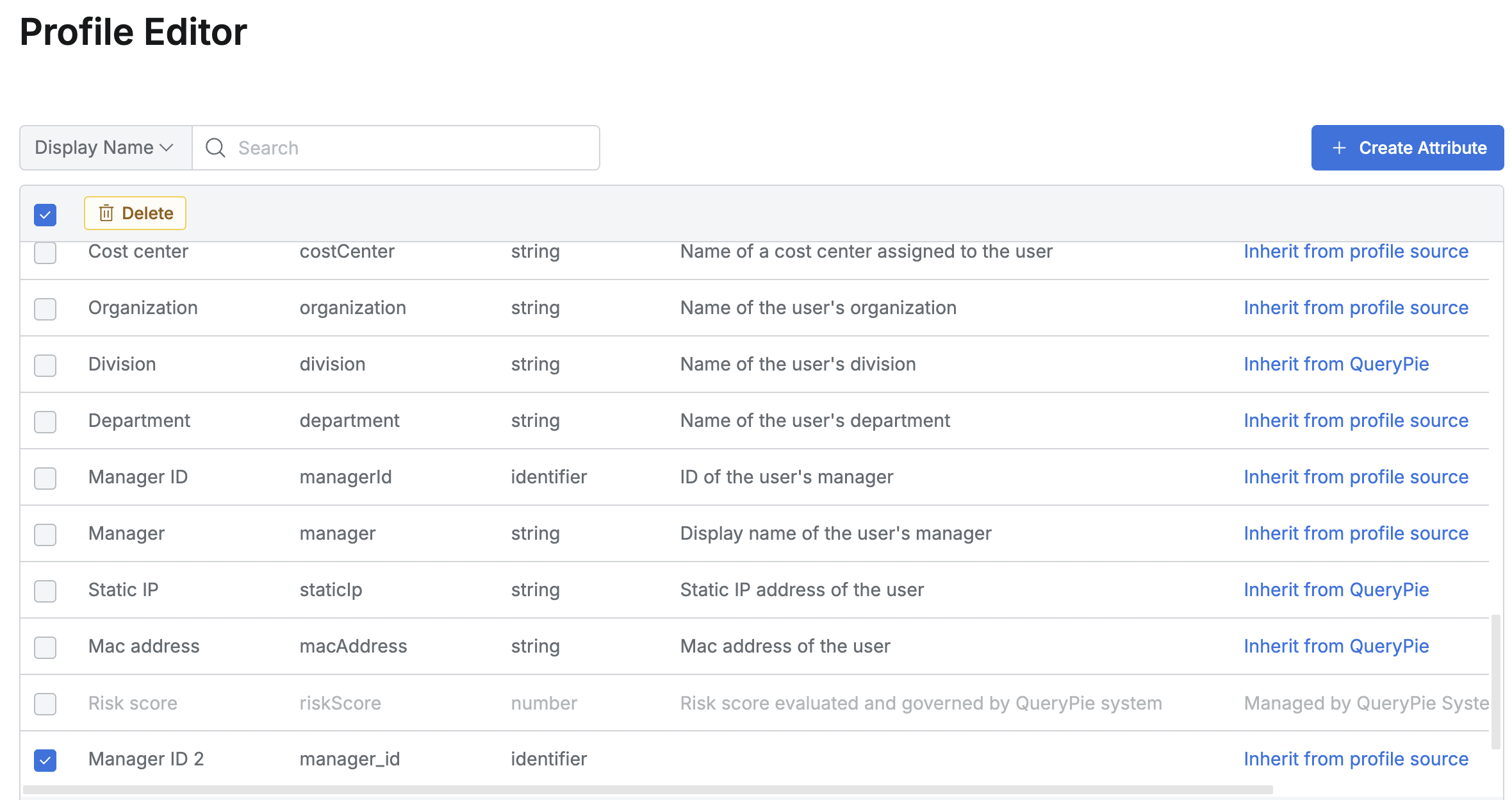
- 삭제할 Custom Attribute 항목의 체크박스를 선택합니다.
- 테이블 상단에 나타나는
Delete버튼을 클릭합니다. - 삭제 확인 모달 창에서 삭제를 확인합니다.
- 삭제 불가 대상:
- QueryPie 시스템에 내장된 기본 Attribute (예: Username, Primary email 등)
- IdP와 연동된 Custom Attribute
- Workflow Approval Rule 내 User Attribute-Based Approval에 사용되고 있는 Custom Attribute
- 위 항목들의 체크박스는 비활성화되어 선택할 수 없습니다.
Last updated on