Multi Agent Linux 설치 및 사용 가이드
QueryPie Multi Agent는 FreeDesktop 환경의 Linux 플랫폼에서만 동작합니다.
지원 대상
| 기반 | 배포판 | 최소 지원 버전 | 검증된 버전 (개발팀에서 검증) |
|---|---|---|---|
| Debian | Debian | 10 (Buster) | 12 (Bookworm) |
| Debian | Ubuntu | 18.04 LTS (Bionic) | 24.04 LTS (Noble) |
| Debian | Kali | 2018.4 | 2024.2 |
| RedHat | Fedora | 28 | 40 |
| RedHat | RHEL | 8 (Ootpa) | - |
| RedHat | CentOS | 8.0 | - |
- 최소 지원 버전: glibc 2.27 을 지원하는 최소 Linux 버전
설치 및 삭제 방법
설치 파일 다운로드
QueryPie Web > 프로필 > Multi-Agent 를 통해 Multi Agent 설치 파일을 다운로드받을 수 있습니다.
선행 작업
Multi Agent는 StatusNotifierItem 을 통해 트레이 아이콘 기능을 제공합니다.
다양한 리눅스 배포판에서는 StatusNotifierItem이 기본으로 노출되지 않을 수 있습니다.
1. 설치 확인
gnome-extensions info appindicatorsupport@rgcjonas.gmail.com설치되어 있지 않음
Extension “appindicatorsupport@rgcjonas.gmail.com” doesn't exist설치되어 있음
State: ENABLED 인지 꼭 확인해야 합니다.
appindicatorsupport@rgcjonas.gmail.com
  Name: AppIndicator and KStatusNotifierItem Support
  Description: Adds AppIndicator, KStatusNotifierItem and legacy Tray icons support to the Shell
  Path: /home/parallels/.local/share/gnome-shell/extensions/appindicatorsupport@rgcjonas.gmail.com
  URL: https://github.com/ubuntu/gnome-shell-extension-appindicator
  Version: 53
  State: ENABLED
2. 설치
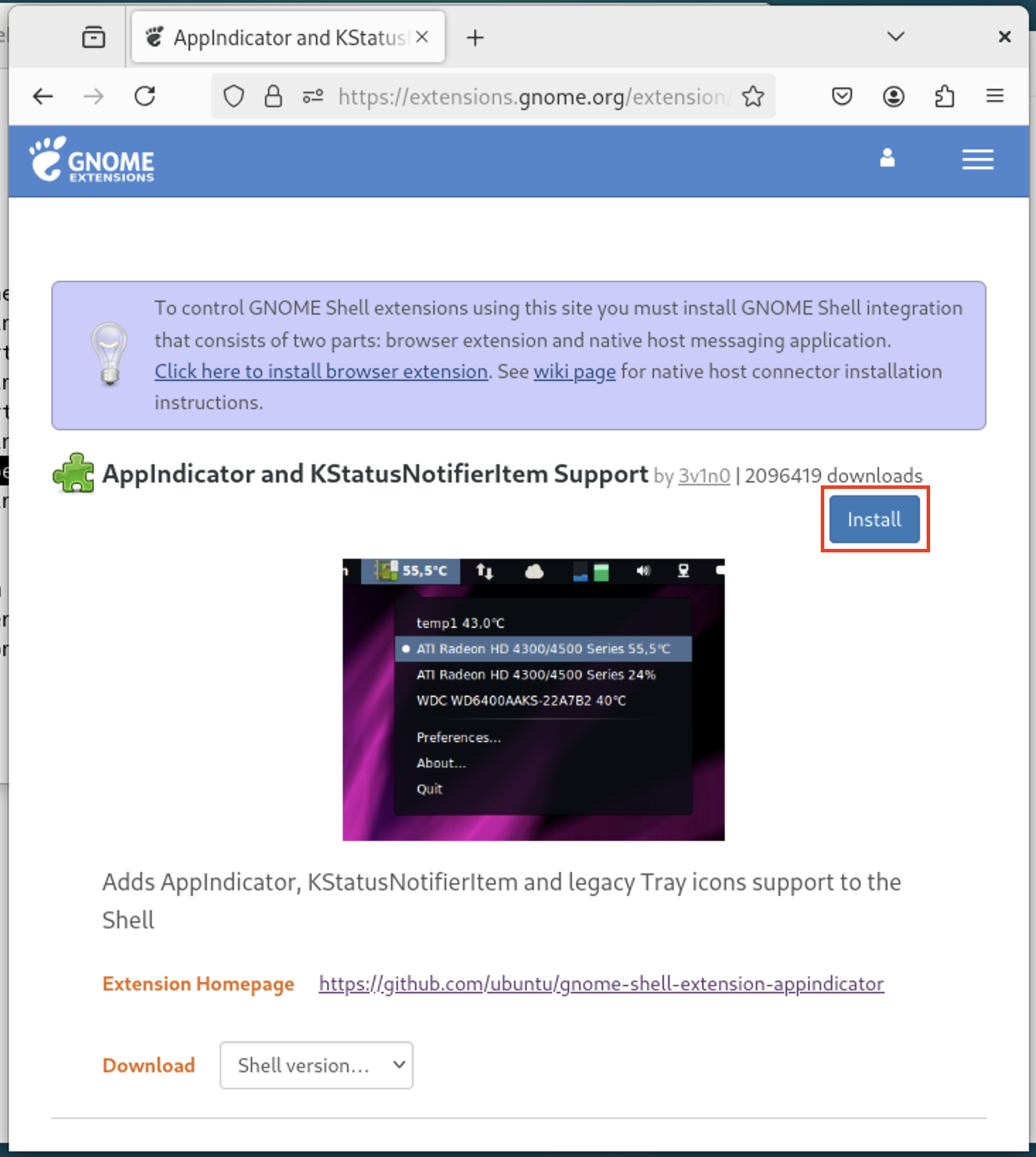
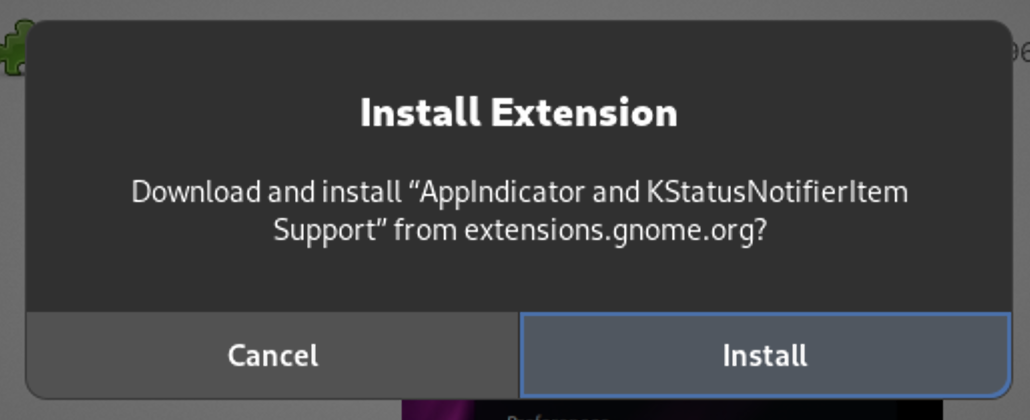
다음 링크에서 AppIndicator and KStatusNotifierItem Support 를 다운로드하고, 설치하세요.
https://extensions.gnome.org/extension/615/appindicator-support/
Debian 기반
dpkg 명령어를 기준으로 설명합니다.
Install
querypie-multi-agent.deb을 다운로드합니다.- 다음 명령어를 실행하여 파일을 설치합니다.
출력 예시
sudo dpkg -i ~/Downloads/querypie-multi-agent.debPreparing to unpack querypie-multi-agent.deb ...
Unpacking querypie-multi-agent (3) ...
Setting up querypie-multi-agent (3) ...
Processing triggers for gnome-menus (3.36.0-1.1ubuntu3) ...
Processing triggers for desktop-file-utils (0.27-2build1) ...
Processing triggers for hicolor-icon-theme (0.17-2) ...- 설치 여부를 확인합니다.
출력 예시
dpkg -s querypie-multi-agentPackage: querypie-multi-agent
Status: install ok installed
Priority: optional
Section: devel
Maintainer: QueryPie
Architecture: arm64
Version: 3
Depends: libx11-6, libice6, libsm6, libfontconfig1
Description: QueryPie Multi Agent
Homepage: https://www.querypie.com/
Copyright: QueryPie, Inc.Uninstall
터미널에서 다음 명령어를 실행합니다.
sudo dpkg -r querypie-multi-agent출력 예시
Removing querypie-multi-agent (3) ...
Processing triggers for hicolor-icon-theme (0.17-2) ...
Processing triggers for gnome-menus (3.36.0-1.1ubuntu3) ...
Processing triggers for desktop-file-utils (0.27-2build1) ...
RedHat 기반
rpm 명령어를 기준으로 설명합니다.
Install
querypie-multi-agent.rpm을 다운로드합니다.- 터미널에서 다음 명령어를 실행하여 파일을 설치합니다.
출력 예시
sudo rpm -i ~/Downloads/querypie-multi-agent.rpmQueryPie Multi Agent has been installed.- 설치 여부를 확인합니다.
출력 예시
rpm -qi querypie-multi-agentName : querypie-multi-agent
Version : 3
Release : 202503291846
Architecture: aarch64
Install Date: Mon 31 Mar 2025 03:02:34 PM KST
Group : Applications/Development
Size : 493101340
License : Proprietary
Signature : (none)
Source RPM : querypie-multi-agent-3-202503291846.src.rpm
Build Date : Sun 30 Mar 2025 03:46:29 AM KST
Build Host : localhost
Vendor : QueryPie, Inc.
URL : https://www.querypie.com/
Summary : QueryPie Multi Agent
Description :
QueryPie Multi AgentUninstall
터미널에서 다음 명령어를 실행합니다.
sudo rpm -e querypie-multi-agent출력 예시
QueryPie Multi Agent is being uninstalled.
QueryPie Multi Agent has been uninstalled.
Keyring
Ubuntu 를 기준으로 설명합니다.
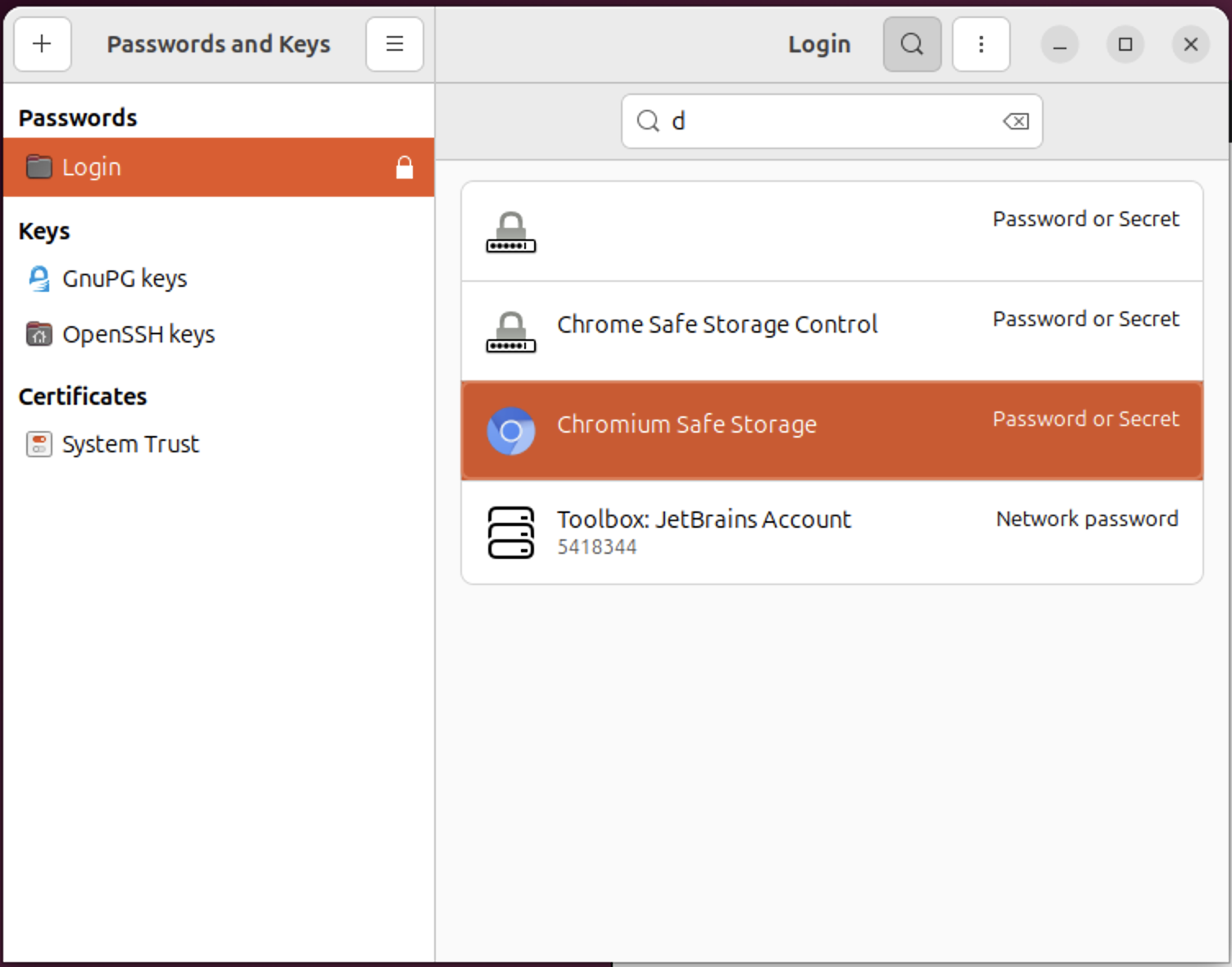
GNOME 데스크탑 환경에서는 사용자의 비밀번호, 암호화 키, 인증서 등을 안전하게 저장하고 관리하는 시스템이 있습니다.
Passwords and Keys 앱에서 Login 저장소가 잠겨있으면 멀티 에이전트 실행 시 관리자 권한을 요구하게 됩니다.
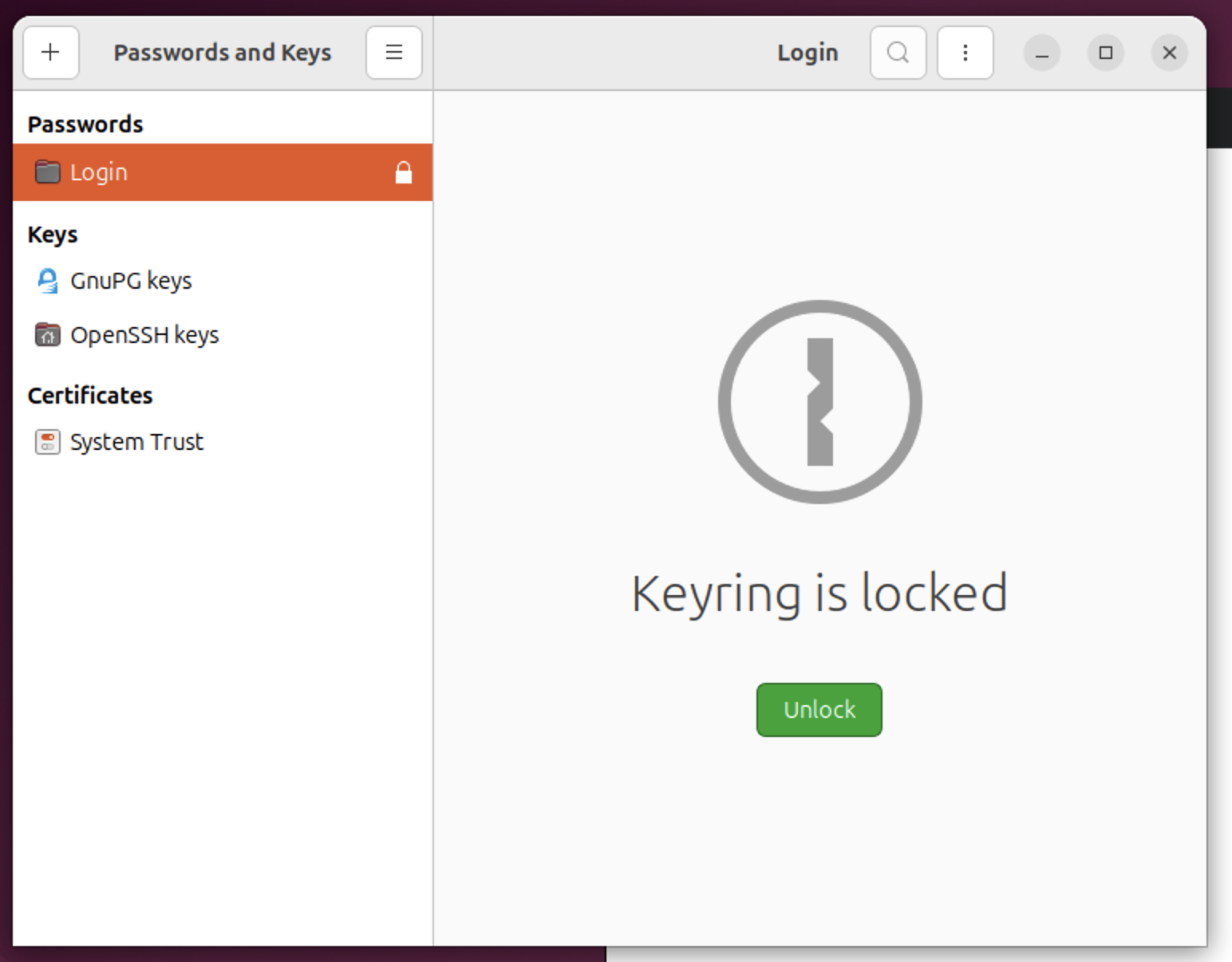
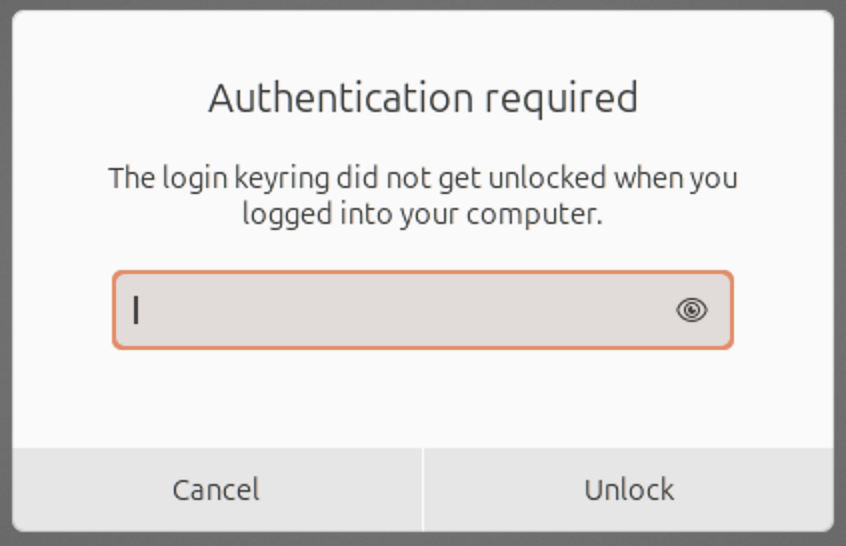
Unlock 버튼으로 잠금을 해제해두면 실행 단계에서 관리자 권한을 요구하지 않습니다.
Troubleshooting
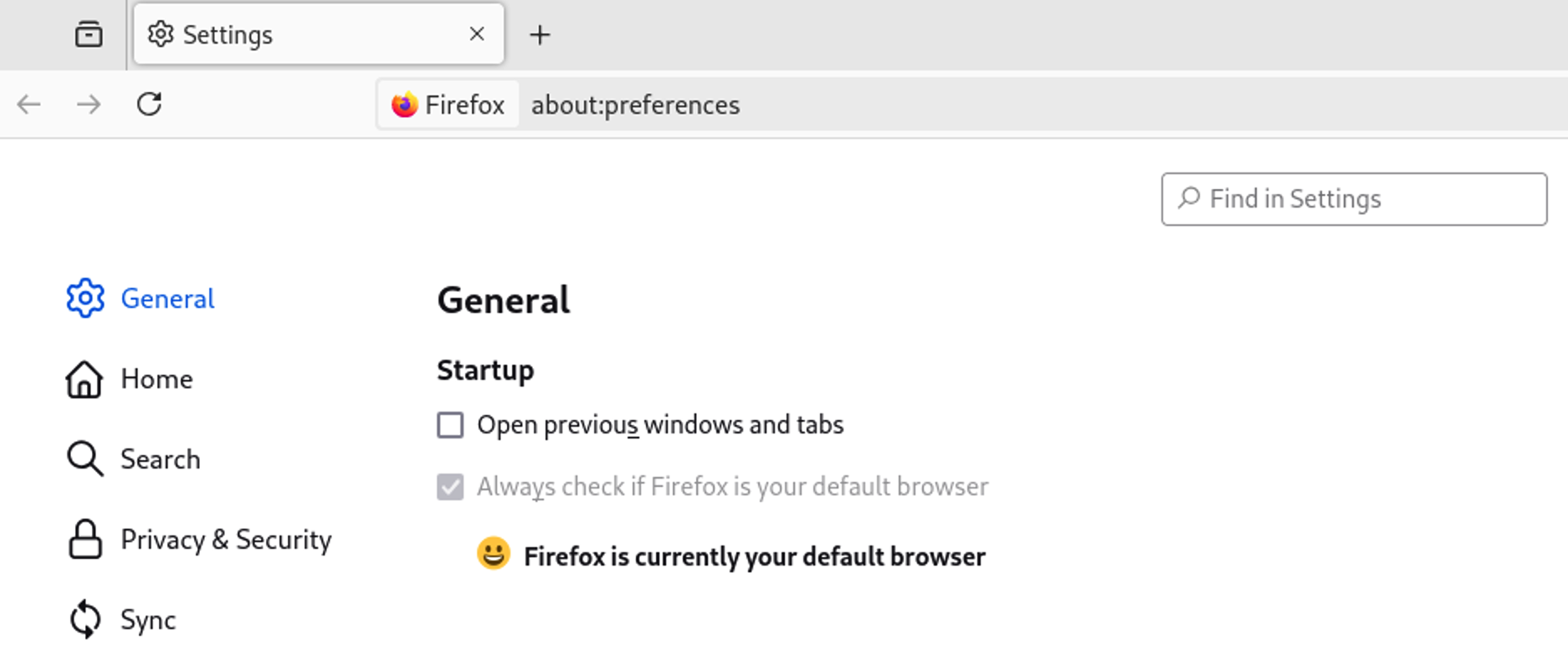
Multi Agent 내 링크를 클릭했는데, 반응이 없습니다.
Default Browser를 설정하지 않으면 링크가 열리지 않습니다. 브라우저 내 설정에서 기본 브라우저를 설정하시기 바랍니다.