Web Event Audit
Overview
Records the audit history of web application events managed by the organization.
Viewing Web Event Audit
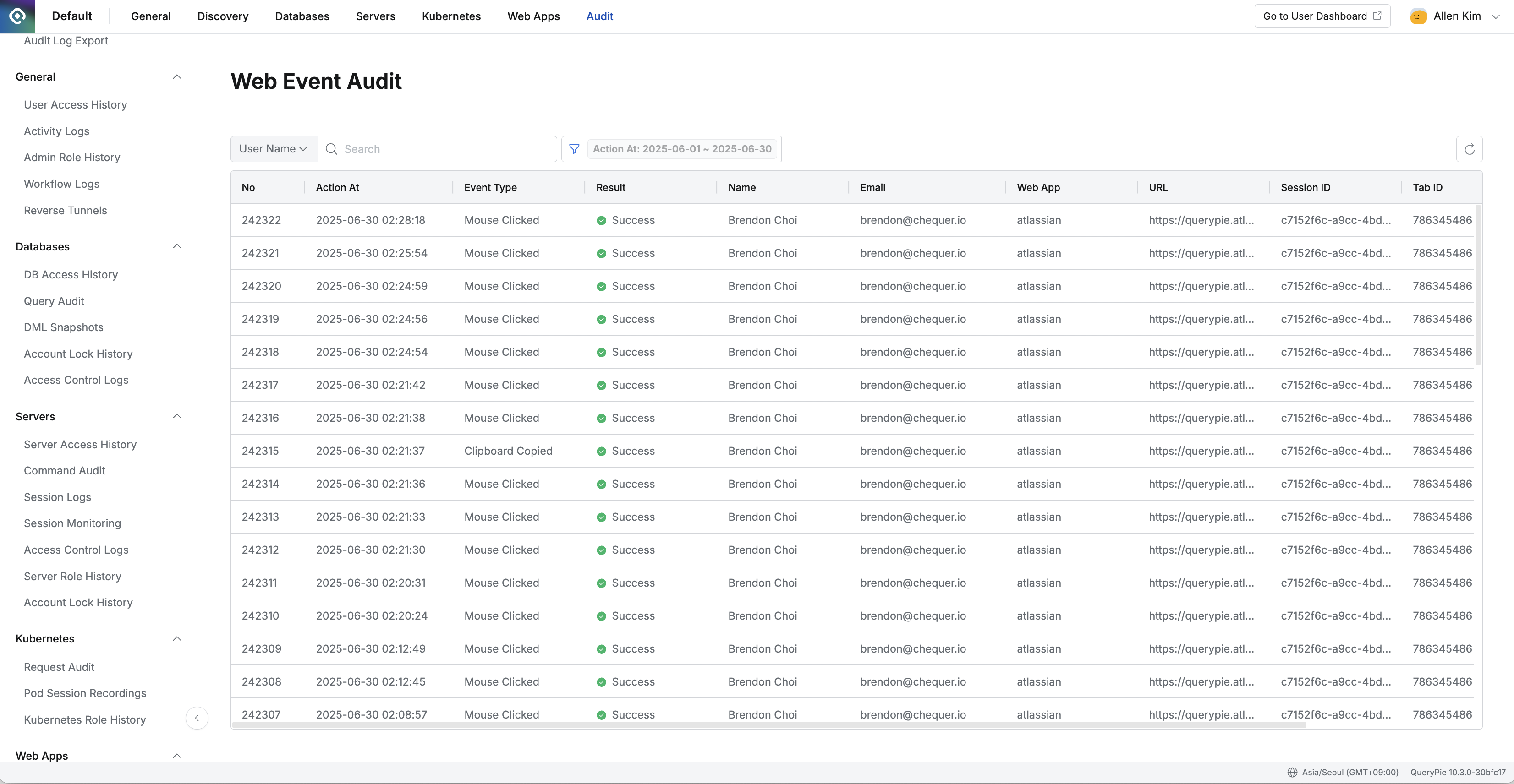
Administrator > Audit > Web Apps > Web Event Audit
- Navigate to the Administrator > Audit > Web Apps > Web Event Audit menu.
- Logs are displayed in descending order based on the current month.
- You can search with the following conditions through the search field in the top left of the table:
- User Name : User name
- User Email : User email
- Role Name : Role name
- Web App Name : Web application name
- Content : Content content
- Url : Accessed URL
- Session Uuid : Session unique identifier
- Tab Id : Tab identifier
- Client Ip : Client IP address
- Message : Message content
- Click the filter button on the right side of the search field to filter with AND/OR conditions for the following:
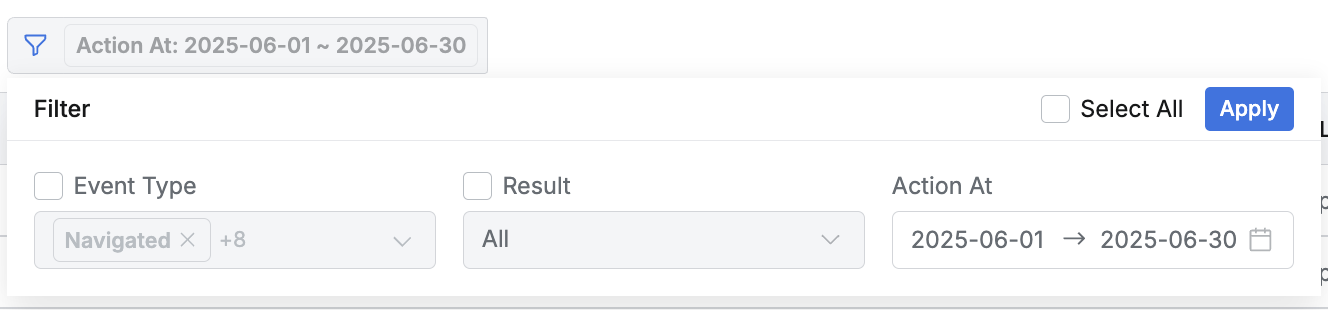
- Event Type : Event type (Mouse Clicked/Clipboard Copied, etc.)
- Result : Execution result (Success/Failure)
- Action At : Action occurrence date and time range
- You can refresh the log list through the refresh button in the top right of the table.
- The table provides the following column information:
- No : Sequence number
- Action At : Action occurrence date and time
- Event Type : Event type (Mouse Clicked, Clipboard Copied, etc.)
- Result : Execution result (Success/Failure)
- Name : User name
- Email : User email
- Web App : Web application name
- URL : Accessed URL
- Session ID : Session unique identifier
- Tab ID : Tab identifier
- Client IP : Client IP address
Viewing Web Event Audit Details
You can view detailed information by clicking on each row.
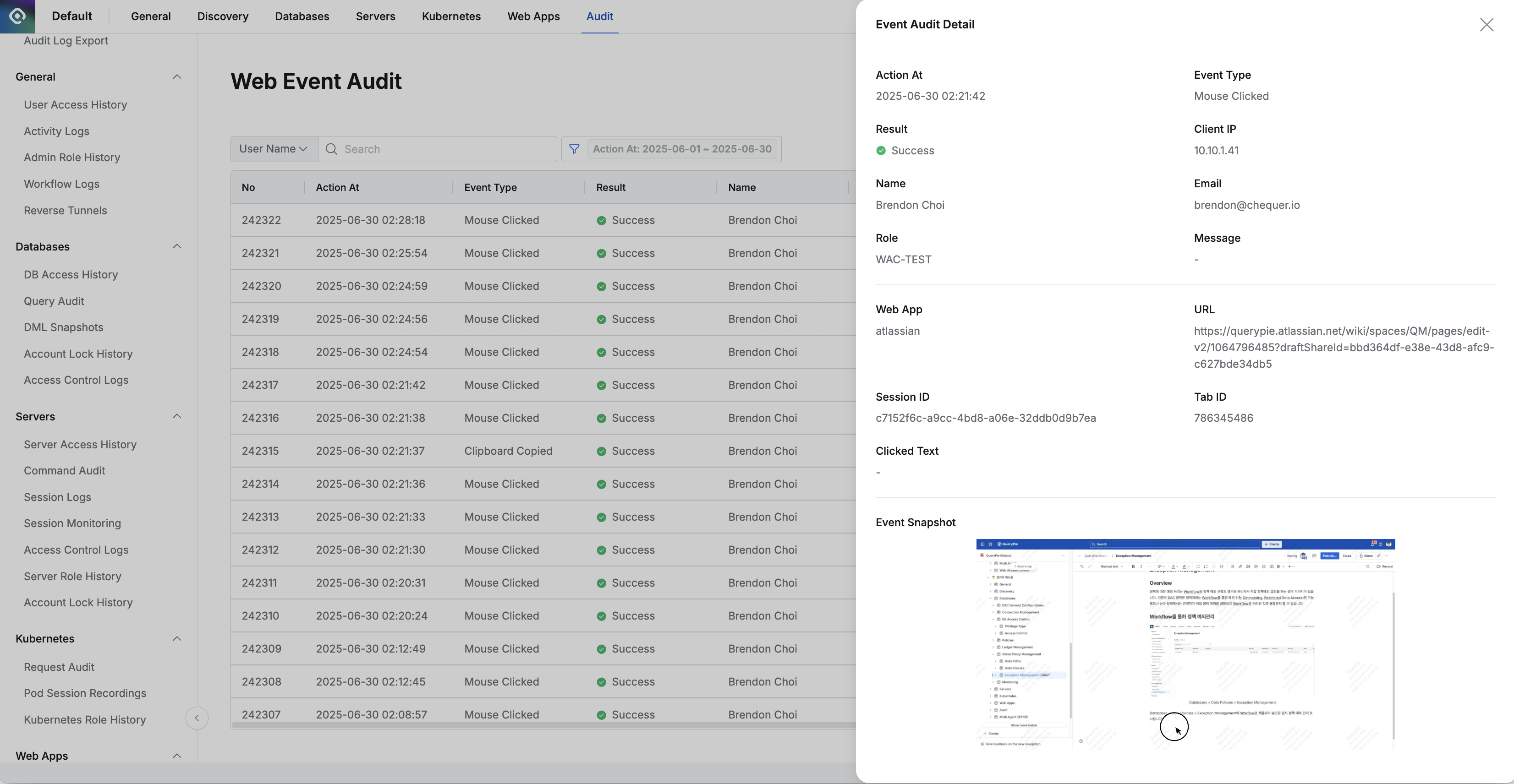
Administrator > Audit > Web Apps > Web Event Audit > Event Audit Detail
- The right drawer displays the following information:
- Action At : Action time
- Event Type : Event type (Mouse Clicked, Clipboard Copied, etc.)
- Result : Event processing success/failure status
- ✅ Success
- ❌ Failure
- Client IP : Client IP address
- Name : Target user name
- Email : Target user email
- Role : User role name
- Message : Records of unusual events such as event execution
- Web App : Web application name
- URL : Page URL where the event occurred
- Session ID : Session unique identifier
- Tab ID : Tab identifier
- Clicked Text : Clicked text content (for Mouse Clicked events)
- Event Snapshot : Screen screenshot at the time of event occurrence
Last updated on