Multi-Factor Authentication 설정하기
Overview
Multi-Factor Authentication (MFA)이란?
비밀번호 외에 추가로 인증 정보를 입력하는 다중 인증 보안 기법입니다.
추가 인증 수단으로 물리/가상 OTP(One Time Password: 1회용 암호 생성기), 생체 인증, Email 등을 사용하기도 합니다.
QueryPie는 관리자 페이지에서 2차 인증 수단으로 Google OTP 또는 Email을 지정할 수 있습니다.
MFA 수단 지정
MFA 수단을 지정하려면 Authentication Type이 Internal database 또는 LDAP으로 선택되어 있어야 합니다.
Email을 MFA 수단으로 지정하기 위해서는 먼저 Email Integration 설정이 완료되어야 합니다.
- Admin > General > User Management > Authentication으로 이동합니다.
- Authentication Type이 Internal database 인 경우
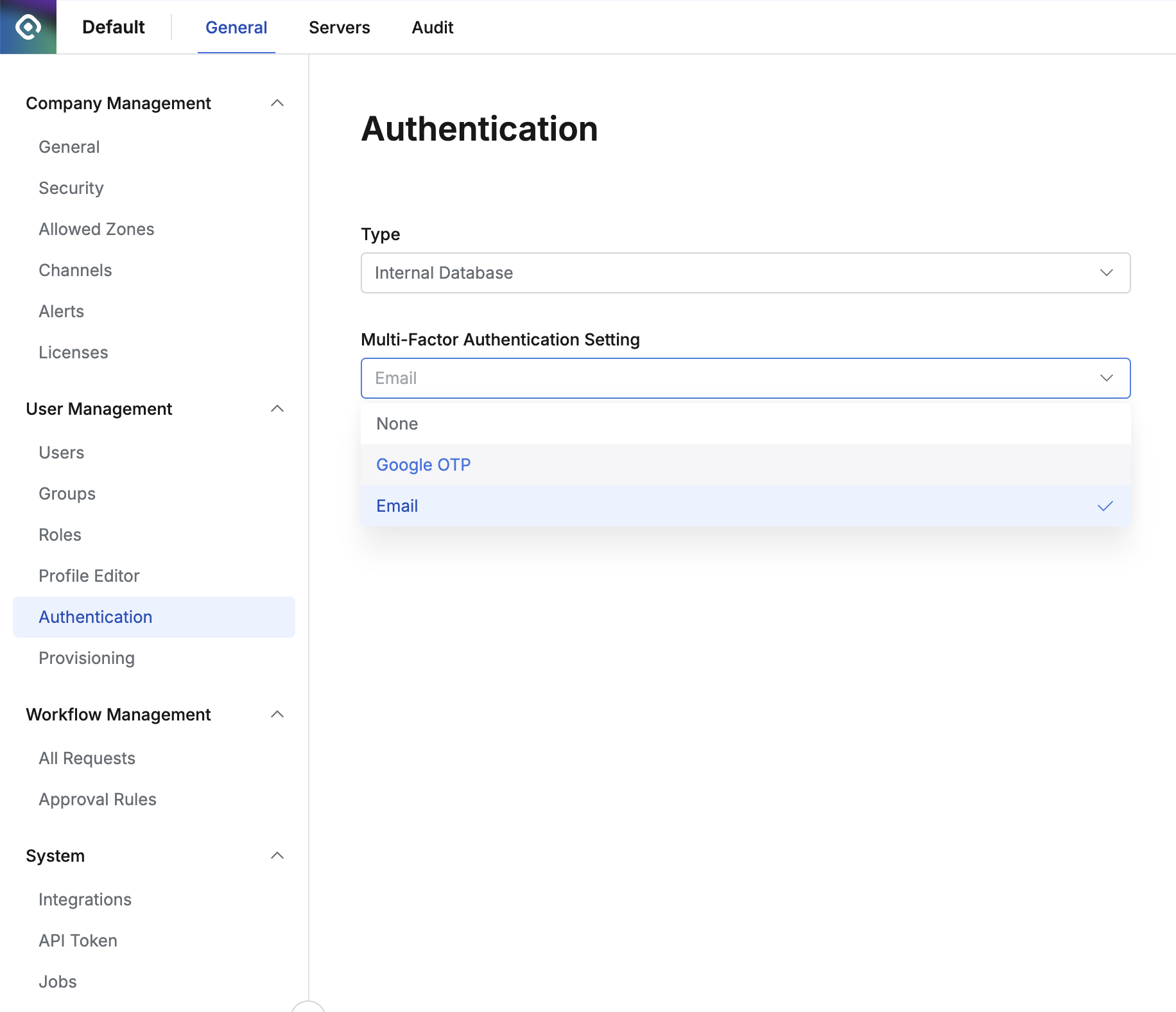
Authentication Type - Internal Database의 경우 MFA 설정
- Authentication Type이 LDAP인 경우
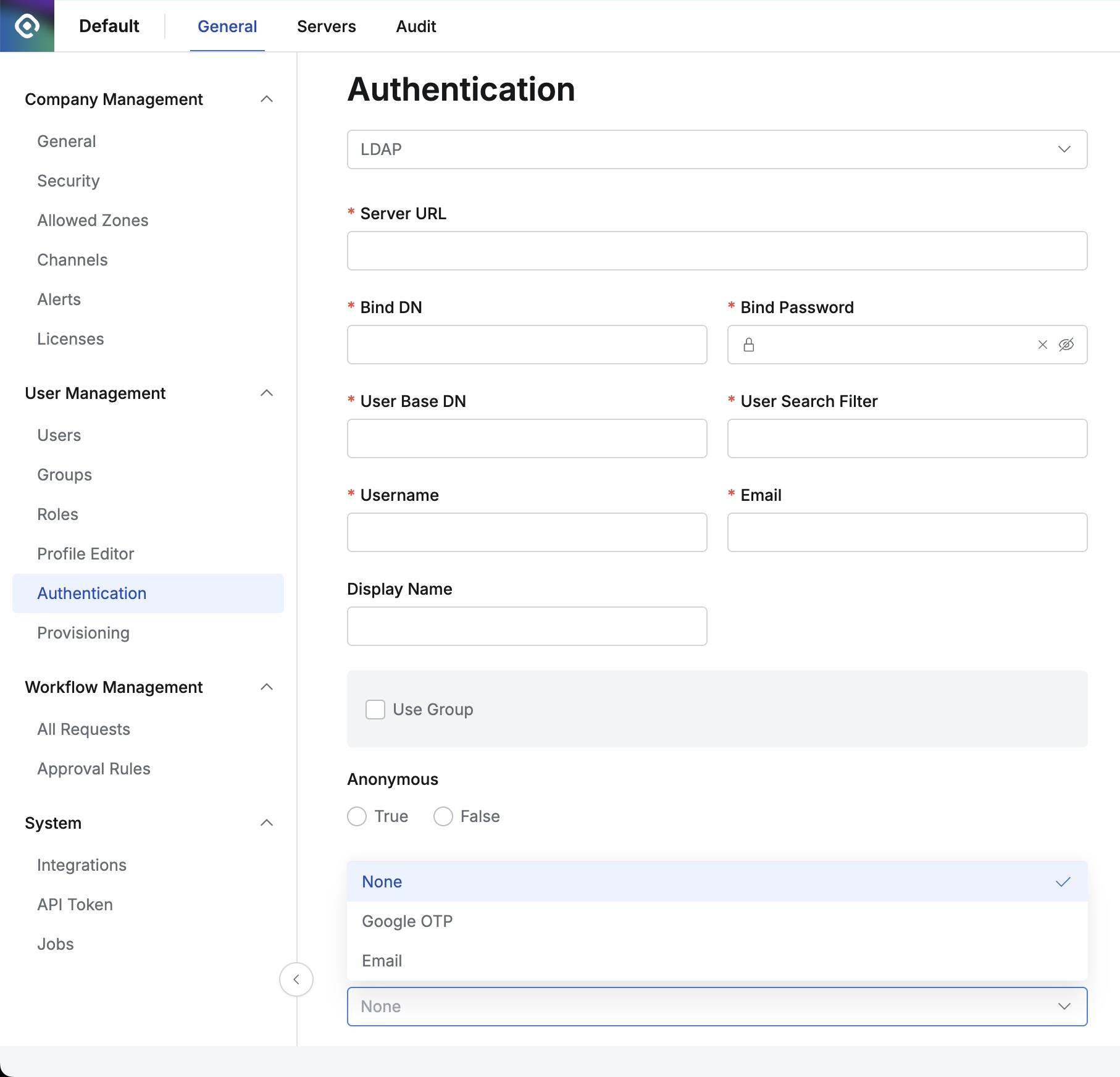
Authentication Type - LDAP의 경우 MFA 설정
서버 접속 시 MFA 사용
이 설정은 서버 접근제어 (SAC) 라이센스가 활성화되어 있어야 사용할 수 있습니다.
- Admin > General > Company Management > Security 로 이동합니다.
- Server Connection Security 항목 아래의 Access Server with MFA를 “Enable”로 설정하고 MFA Type을 Google OTP 또는 Email로 선택합니다. (Access Server with MFA는 기본값이 Disable입니다.)
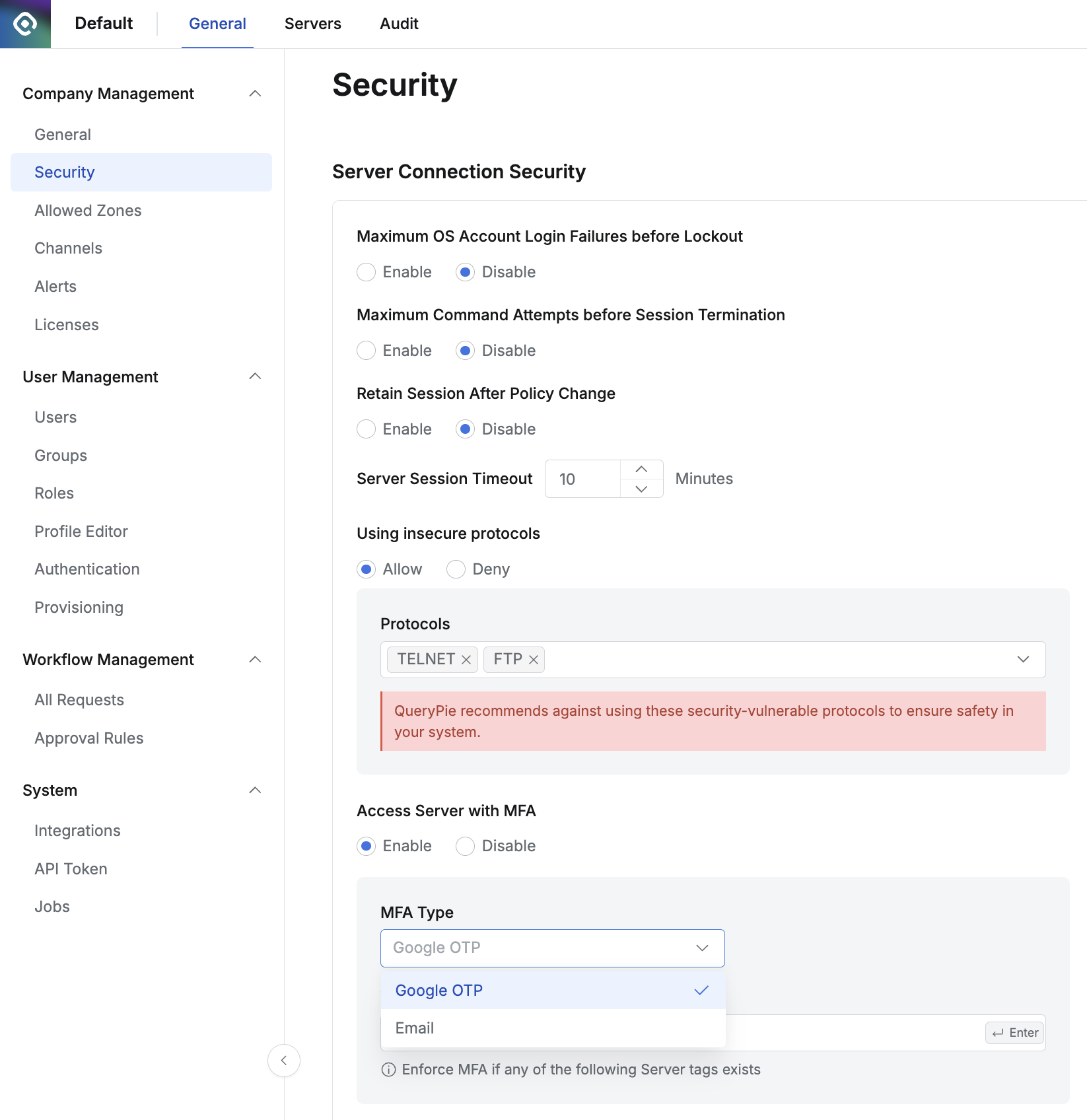
Last updated on